Supabase Realtime: Node and Edge Broadcasting
Purpose
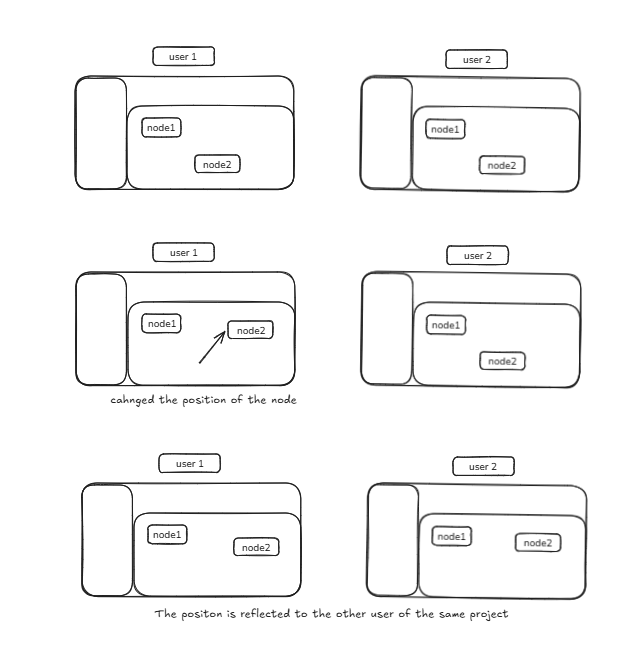
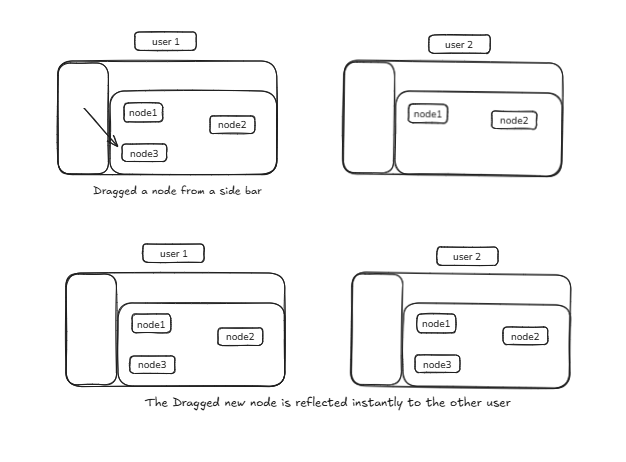
When multiple users collaborate on the same canvas (built using React Flow), each user's actions — such as moving a node, adding a connection, or updating a label — need to reflect instantly for everyone.
The Node & Edge Broadcasting System ensures that: - Every change in the flow graph is broadcasted in real-time - Updates are received and rendered instantly by all collaborators - Conflicts and visual "wobbling" during dragging are prevented
How It Works
Each canvas (identified by fileId and versionId) creates a unique Supabase Realtime channel:
All connected clients join this same channel to: - Send updates when nodes or edges change - Receive broadcasts from other users
Broadcasting Logic
When a change occurs (e.g., node moved, edge added), a broadcast event is sent:
Similarly for edges:
Payload Details
| Key | Description |
|---|---|
| userId | ID of the user who made the change |
| nodes | Array of node objects (id, position, label, etc.) |
| edges | Array of edge objects (id, source node, target node, etc.) |
The payloads are sent only once per change and not stored in the database — they exist only in real time.
Receiving Updates
Each client listens for incoming broadcasts from other users.
When a "NODES_UPDATED" or "EDGES_UPDATED" event is received: - It checks whether the update was sent by the same user - If yes → ignore it (to avoid echoing back our own updates) - If no → update the local nodes or edges state accordingly
Conflict Prevention & Smooth Collaboration
The Problem
Without synchronization control, users may experience node wobbling or jittering: 1. You drag a node locally 2. Supabase sends that same node's position back to you 3. React Flow updates again → the node jumps or shakes
The Solution
An isDragging flag was introduced to fix this.
Implementation Steps
-
A useRef variable tracks drag state:
-
Set to true when drag starts and false when drag stops
- During a drag, incoming broadcasts are ignored:
- Prevents Supabase from overwriting your in-progress node movement
- Keeps dragging smooth and purely local
- After you release the node, the final position is broadcasted to others
Result
| Scenario | Behavior |
|---|---|
| You drag a node | Local updates only; no Supabase interference |
| Another user drags a node | You receive the update and reflect it live |
| You stop dragging | Your final position is sent to others |
Outcome: Smooth, conflict-free node movement across all collaborators
Key Features
| Feature | Description |
|---|---|
| Real-time Collaboration | All connected clients instantly share node & edge updates |
| No Data Duplication | Your own updates aren't re-applied |
| Conflict Prevention | Drag suppression ensures no visual jitter |
| Scalable Channel Naming | Each fileId + versionId pair isolates collaboration sessions |
| Lightweight Traffic | Only changed states (nodes/edges) are broadcasted once |
Example Workflow
- User A moves a node → broadcasts NODES_UPDATED
- User B receives the payload → updates local React Flow state
- User A ignores its own broadcast (avoids duplication)
- Both users see the node in the same final position — perfectly synchronized