Task Board Module
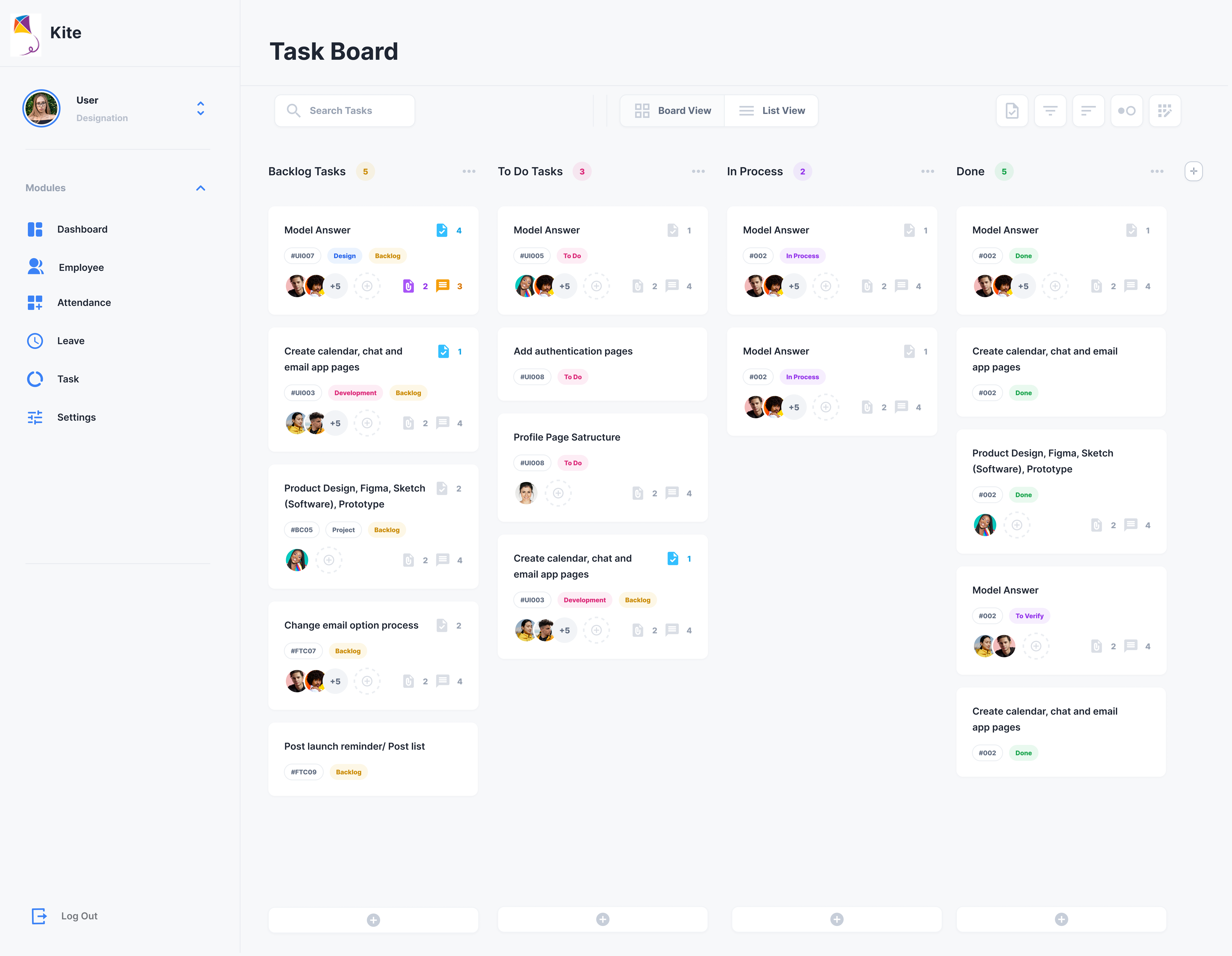
The Task Board Module is a core productivity component of the Kite Human Resource Management System, designed to enable structured task tracking, workflow visualization, and team collaboration. The current implementation is primarily tailored for the Software and Technical Departments.
Module Overview
The Task Board provides a Kanban-based task management interface that allows users to:
- Track task progress visually
- Organize work by status
- Collaborate with team members
- Monitor productivity and project flow
This module integrates seamlessly with other HRM modules such as Employee, Attendance, and Leave.
Sidebar Component
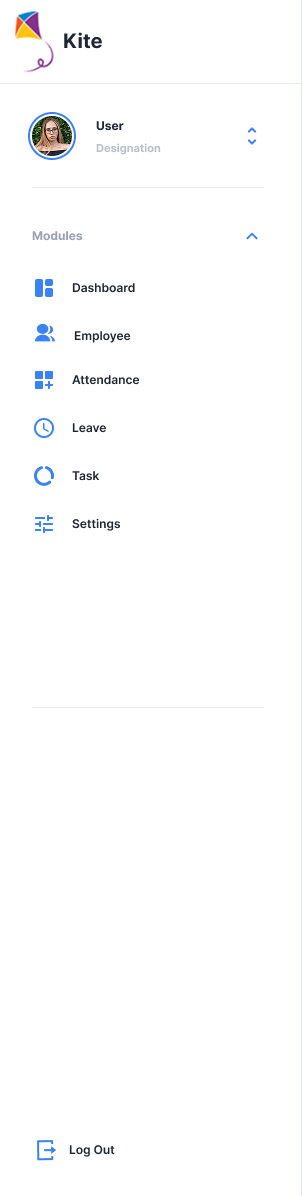
The sidebar acts as the primary navigation panel for the application and remains consistent across all modules.
Header Section
- Displays the Kite application logo and name.
-
Shows the logged-in user profile, including:
-
User name
- Designation
- Profile image
- Profile settings will be configured in later development phases.
Module Navigation
The following application modules are accessible from the sidebar:
- Dashboard
- Employee
- Attendance
- Leave
- Task
This navigation system allows users to switch between modules efficiently.
Footer Section
- Contains the Log Out option for secure session termination.
The sidebar is designed as a static, reusable UI component across all application pages.
Task Board Layout
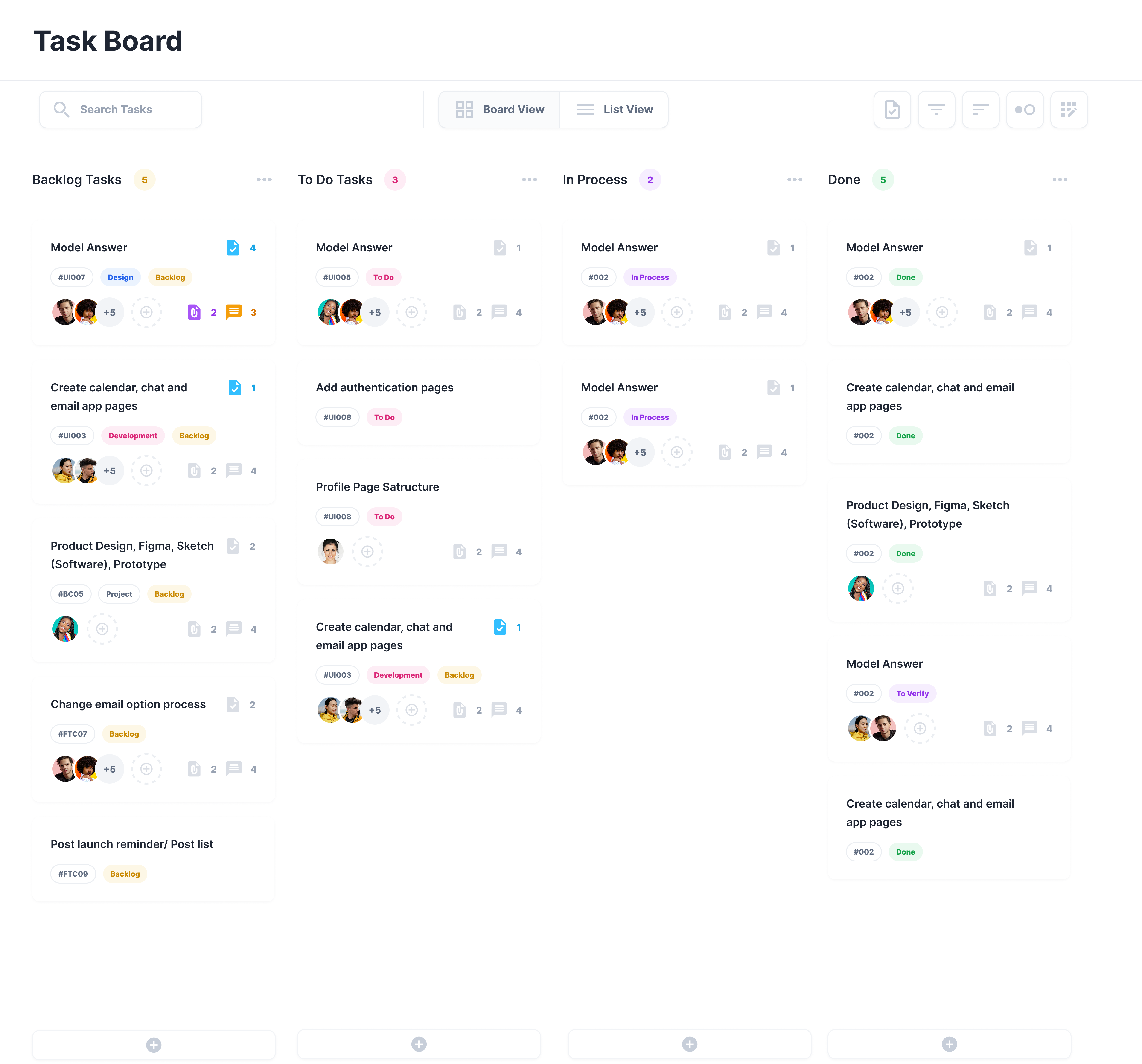
The Task Board interface is composed of three primary sections:
- Header Section
- Tool Section
- Kanban Board Area
Header Section
The Header displays the active module name:
- "Task Board" (currently hardcoded)
- Acts as a positional indicator, informing users of the current working module.
Tool Section (Control Panel)
The Tool Section is positioned adjacent to the header and provides task-level controls and board configuration options.
Search Bar
-
Allows searching tasks using:
-
Task ID
- Task title
- Assignee
- Tags
View Toggle
Users can switch between:
- Board View (Default) – Kanban-style column layout
- List View – Tabular view of all tasks
Action Controls
The top-right control panel contains the following tools:
| Icon | Feature | Description |
|---|---|---|
| Download | Export | Exports task data for external use |
| Filter | Advanced Filter | Applies multiple condition-based filters |
| Sort | Sorting | Reorders tasks within columns |
| Group | Grouping | Visually clusters tasks by field values |
| Settings | Preferences | Controls board display configurations |
Kanban Board Structure
The default task display uses a Kanban layout where:
- Tasks are organized into status-based columns
- Cards can be dragged and dropped between columns
- Columns are scrollable
- The Add Task button remains fixed at the bottom
Default Columns
Backlog
- Stores unprioritized or future tasks
-
Includes:
-
Design requests
- Change requests
- Post-launch activities
To Do
- Approved and ready-for-action tasks
- Assigned to team members
- Awaiting execution
In Progress
- Actively developed or executed tasks
-
Includes:
-
Time tracking
- Progress indicators
- Live collaboration
Done
- Completed and verified tasks
-
Used for:
-
Reporting
- Auditing
- Performance measurement
Custom Column
- Users can add new columns using the “+” icon at the top-right of the board
- Supports custom workflow creation
Task Card Structure
Each task is displayed as a task card within its respective column.
Interactive Capabilities
- Drag-and-drop task movement
- Automatic status updates upon relocation
- Visual indicators for task activity
Task Card Elements
- Task Title
- Status Badge (Top-right)
- Attachment Count Icon
- Comment / Discussion Icon
-
User Avatars
-
Assigned user
- Team participants
These indicators help users quickly assess collaboration level, documentation status, and task progress.
Footer Section
The footer contains a fixed “Add Task” (+) button, allowing users to:
- Instantly create a new task
- Assign it directly to any selected column
This fixed positioning ensures quick task creation at all times.
Design Characteristics Summary
- Modular and reusable sidebar architecture
- Dual view modes: Kanban and List
- Real-time drag-and-drop interaction
- Visual status tracking via badges and icons
- User-centric collaboration features
- Exportable, filterable, and configurable board